Poor Man's AI Cluster: When You Can't Afford a DGX, You Build an Olympus
I wanted a DGX Spark and a rack of Mac minis. Instead I built Olympus — a home AI cluster from three old PCs and a cheap mini-PC. Here's how.
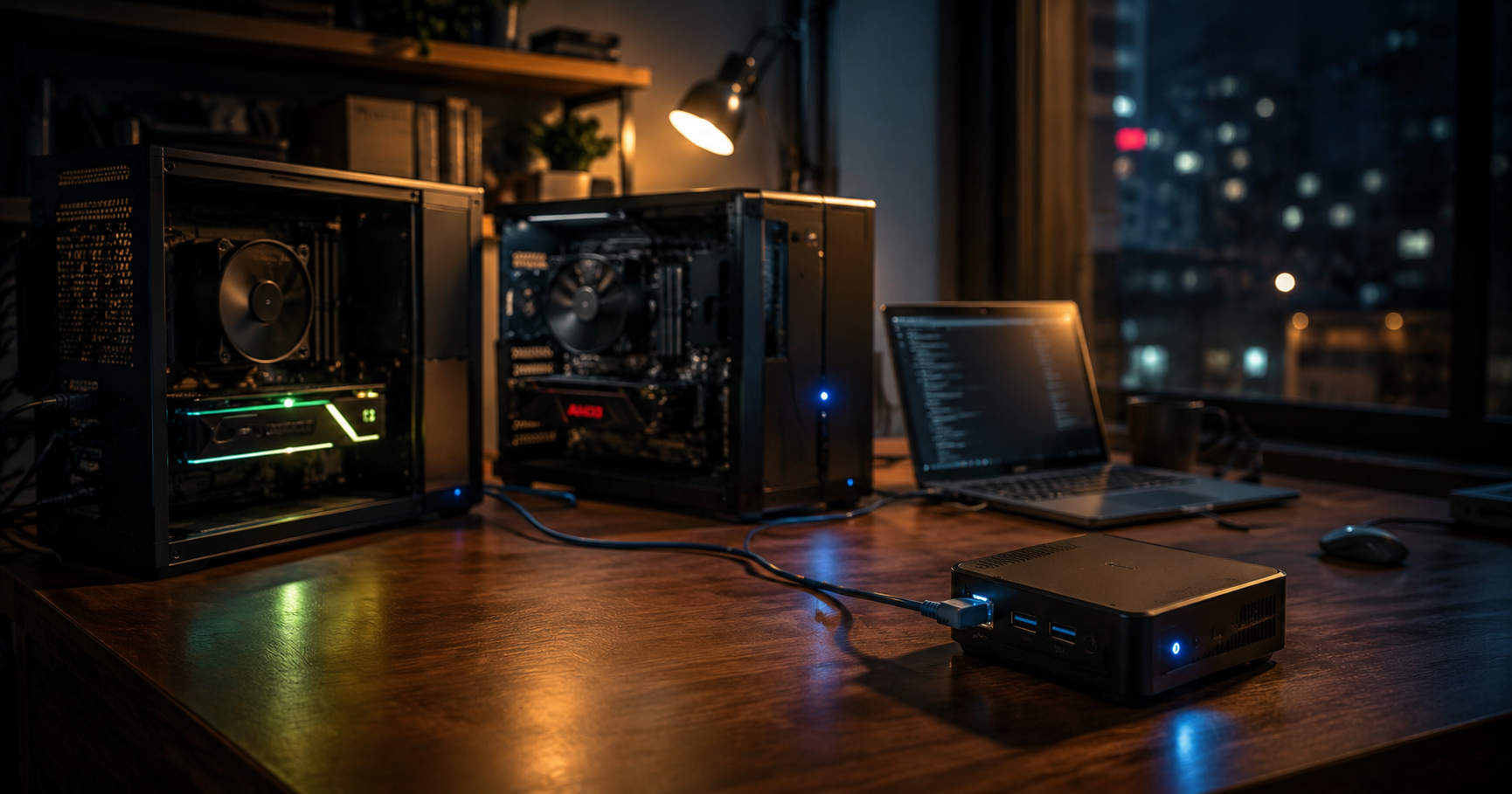
How much local AI can I actually run on the computers I already own? And can three very different machines — each with its own GPU, memory and limitations — work together as one useful team?
I didn’t want to build a showpiece server or prove that local models can replace every cloud service. I wanted to find out where my hardware’s limits really are — and whether I could turn those limits into a practical workflow for AI agents. This is how Olympus AI Cluster came to be.
There’s a Polish saying: gdy się nie ma, co się lubi, to się lubi, co się ma — roughly, “when you can’t have what you love, you learn to love what you have.” (Beggars can’t be choosers, but with better vibes.)
I’d love to own a DGX Spark, a rack of Mac minis, or one of those tidy Minisforum MS-S1 MAX boxes that homelab influencers keep posting. But I don’t. I have three old computers — bought at different times, for completely different reasons — and a budget that didn’t stretch to new hardware.
So I didn’t buy an AI server. I built a cluster out of what I already owned.
I’m a software engineer — seven years building web apps, more recently working with AI agents every day — and I wanted AI infrastructure I could control and understand, not rent by the token. This post covers the first half of that journey: the hardware I started with, the move from hand-rolling everything over SSH to a single shared API, and Olympus’s role as the control plane. Model selection and benchmarks deserve their own post.
Why I started exploring local AI
The idea for a local cluster didn’t start as an attempt to build a private cloud. It started with a simpler question: what can I actually run on the hardware I already have?
For a long time I experimented with small language models. They ran — but “it runs” wasn’t the same as “it’s useful.” Generation was slow, models lost the plot on simple instructions, and the gap between a fun demo and a tool you’d trust with a real task was obvious. Every few weeks I’d come back to check the new models, and I kept noticing that even the smaller ones were getting noticeably better.
Around the same time, using cloud models became less predictable. Prices changed, limits changed, available model variants changed, and subscription terms shifted mid-work. I didn’t take this as an argument for cutting myself off from the cloud entirely — the cloud is still convenient and does things you can’t reasonably reproduce at home. But I decided it was worth having my own environment for experiments: one that doesn’t depend on whether a given model happens to be available, how much of my limit I have left, or whether a provider changed the terms halfway through the day.
Local inference isn’t free, of course. I pay for electricity, hardware, setup time and maintenance. What I get in return is control over the environment — and the ability to work without paying per token generated on my own machines.
So what interested me wasn’t running the biggest possible model. It was whether a few imperfect computers could become something practical: an environment for learning, testing local LLMs, and working with AI agents. That was the beginning of the road from single experiments to the Olympus cluster.
What I had at the start
I didn’t build the cluster from scratch. I already had three different working computers, each bought with completely different assumptions — and it took trying to run local models to see that each one had its own specialization. A fourth machine, Olympus, joined later as a dedicated control center.
I wasn’t looking for one perfect server. I preferred to use the machines I had and give each one a role that matched its strengths. Mars was supposed to be the fast main worker, Deimos the second strong endpoint, Phobos the experiment with large context, and Olympus the small, always-available control center.
| Machine | Hardware | Backend | Role |
|---|---|---|---|
| Mars | Ryzen 7 5800X3D, RTX 4070 Ti Super 16 GB, 64 GB RAM | CUDA | main worker, fastest generation |
| Deimos | Ryzen 7 5700X, RX 6900 XT 16 GB, 32 GB RAM | Vulkan | worker for code-quality-focused tasks |
| Phobos | HP OmniBook, Radeon 890M, 32 GB unified memory | Vulkan | large context, but limited memory bandwidth |
| Olympus | HP ProDesk 600 G3 DM, i5-7500T, 16 GB RAM | Proxmox/LXC | control plane, API and proxy |
Mars has an NVIDIA card and CUDA, Deimos runs an AMD card through Vulkan, and Phobos has no dedicated VRAM at all — the GPU and CPU share the same memory. Even at this stage it was clear there would be no homogeneous cluster where one model is shared across all machines. What emerged were three independent inference workers, each running its own model and exposing its own endpoint.
That distinction matters. Olympus is not distributed inference, and it doesn’t try to pool the memory of all machines into one big pile. It’s a layer that knows where each model runs, how to start it, and which endpoint a task should go to. The hardware limits don’t disappear — they just stop being the user’s problem on every single call.
Simplified topology
                         ┌─────────────────────────────┐
                         │       Agent / Pi.dev         │
                         └──────────────┬──────────────┘
                                        │ single API
                         ┌──────────────▼──────────────┐
                         │  OLYMPUS — control plane     │
                         │  LiteLLM + Cluster API       │
                         └───────┬───────────┬──────────┘
                                 │           │
                   ┌─────────────▼──┐   ┌──▼────────────────┐
                   │ Mars            │   │ Deimos            │
                   │ RTX / CUDA      │   │ RX / Vulkan       │
                   │ Qwen3.6 35B     │   │ Ornith 35B        │
                   └─────────────┬──┘   └───────────────────┘
                                 │
                         ┌───────▼──────────┐
                         │ Phobos           │
                         │ Radeon 890M      │
                         │ Vulkan / unified │
                         │ Bonsai 27B       │
                         └──────────────────┘

              Iris / OpenRouter free — cloud fallback
In practice these are three inference nodes plus a separate control plane, not three equal servers. Olympus itself doesn’t run a language model. It manages services, exposes a single point of access, and lets agents use local and cloud models according to their role.
Call it constraint-driven design: instead of starting from a wishlist and buying hardware to match, I started from what I had and assigned roles around each machine’s limits. The wishlist approach gets you a spec sheet. The constraint-driven approach gets you an architecture that already fits the machines you’ll actually run — a useful habit far beyond homelabs.
Ubuntu, llama.cpp and the first SSH version
The first decision was to reinstall everything on Ubuntu. Not because Windows is inherently bad for AI work, but because in my specific setup I needed every available gigabyte of memory. Models were going to run with offloading to RAM, and Phobos was going to share memory between CPU and GPU. Background processes stopped being an abstract cost — they started deciding whether a model would load and how much context I could set.
For running models I chose llama.cpp. Three things mattered to me: broad support for GGUF models, the ability to use different backends, and an HTTP server compatible with the API that AI tools already speak. That meant the same way of talking to a model worked on the CUDA machine, on the AMD machine through Vulkan, and on the laptop with unified memory.
The first version of the cluster was very simple. I ran a model server on each machine, and from my main computer I connected to the others over SSH. The Pi.dev agent — the harness I use to drive my coding agents — could send a query to a chosen worker, get a response, and use it in its further work. The most important experiment succeeded: three different computers actually started answering tasks from a single environment.
First prototype:

Pi.dev ── SSH ──> Mars / Deimos / Phobos ──> llama-server ──> model
The solution quickly showed its limits though. SSH is fine for manually driving machines, but it shouldn’t be the contract every agent has to know. On every task I had to remember which computer the model ran on, which port it answered on, how to start it after a reboot, and what to do when the server wasn’t ready. On top of that came logs, health checks, model warm-up, and switching configurations.
I needed to separate two things: machine control and inference traffic. SSH was to stay a tool for administration, while models should be reachable through plain HTTP endpoints. Only then could I add a shared routing layer and stop dragging infrastructure details into every agent.
Olympus as control plane
After the first tests it was clear I didn’t need another computer to run models. I needed a computer that’s always on and takes care of the other machines. So I bought a small HP ProDesk 600 G3 DM with an i5-7500T, 16 GB of RAM and a small disk. Its job wasn’t generating text. It was command and control.
On the ProDesk I installed Proxmox and ran two lightweight containers. One serves the cluster management API, the other runs a LiteLLM instance. That separation turned out to be enough: a control plane doesn’t need much compute, but it does need to be stable, available around the clock, and independent of whether I happen to be working on Mars.
LiteLLM solved the biggest problem with the prototype. Instead of configuring each endpoint separately — with its own address, port and model name — I could expose one shared interface. Behind it sat the Mars, Deimos and Phobos endpoints, and later Iris too: a free cloud layer on OpenRouter that fills the gaps in the local cluster. The agent gets a uniform API; configuration decides where a request actually goes. Iris isn’t the backbone of the infrastructure — it has its own limits, latency and variable availability.
Inference traffic:

Pi.dev / agent
       │
       ▼
LiteLLM on Olympus
       ├──> Mars    — Qwen3.6 35B
       ├──> Deimos  — Ornith 35B
       ├──> Phobos  — Bonsai 27B
       └──> Iris    — OpenRouter free
The second piece was a small CLI script called cluster. I didn’t want to build an admin panel just to start or stop three servers. I needed a few commands that match daily tasks:
cluster status           check machine state
cluster start            start all models
cluster stop             stop all models
cluster restart <name>   restart a specific worker
cluster logs <name>      view logs
cluster health           health check with exit code
cluster wake <name>      Wake-on-LAN for supported machines
Because the machines are always on but the models aren’t, a typical morning looks like this:
$ cluster status

=== Olympus AI Cluster ===

  mars
    Port 11000 Qwen_Qwen3.6-35B-A3B-Q4_K_S.   🔴 OFFLINE
    GPU        RTX 4070 Ti Super 16GB

  deimos
    Port 8081  ornith-1.0-35b-Q4_K_M.gguf     🔴 OFFLINE
    GPU        RX 6900 XT 16GB

  phobos
    Port 8082  Ternary-Bonsai-27B-Q2_0.gguf   🟢 ONLINE
    GPU        Radeon 890M (32GB unified)

  olympus (control plane)
    Port 4000  cluster API                    🟢 ONLINE (API)
    GPU        i5-7500T (4C, 16GB DDR4)
Mars and Deimos are sleeping — the machines are on, but no model is eating VRAM or electricity. One command changes that:
$ cluster start
Starting cluster...
  [mars] Starting via systemd... (~1 min to load model)
  [deimos] Starting via systemd... (~1 min to load model)
  [phobos] Already running
…and a minute later:
$ cluster status

  mars
    Port 11000 Qwen3.6-35B-A3B                🟢 ONLINE
    GPU        RTX 4070 Ti Super 16GB

  deimos
    Port 8081  Ornith-1.0-35B                 🟢 ONLINE
    GPU        RX 6900 XT 16GB

  phobos
    Port 8082  Ternary-Bonsai-27B-Q2_0.gguf   🟢 ONLINE
    GPU        Radeon 890M (32GB unified)

  olympus (control plane)
    Port 4000  cluster API                    🟢 ONLINE (API)
    GPU        i5-7500T (4C, 16GB DDR4)
All three workers online. Notice the model name on Mars: Qwen3.6-35B-A3B — it’s a Mixture-of-Experts model. 35B parameters total, but only about 3B active per token. That’s why it’s fast enough to feel responsive on a 16 GB card.
Everything online, nothing burning electricity on idle weights — models load when a task needs them and stop when it’s done.
Starting the servers themselves is handled by systemd. Units have automatic restart on failure, keep running after logout, and can be controlled remotely over SSH. At the same time, I didn’t enable unconditional startup of all models on every boot. Models eat memory and power, so launching them should be a conscious decision — via cluster start, not as a side effect of a system reboot.
Models aren’t welded to machines either. Mars can swap models at runtime — cluster switch-model mars bonsai stops the current unit and starts another in about a minute. The registry right now holds one alternative: Bonsai, a ternary 27B model that reaches ~47 tokens/s with a 262K context window (64K effective) while using ~11.5 GB of VRAM on the 4070 Ti Super. Different model, same endpoint, same agent workflow.
In this architecture SSH stays at its proper level: administration, starting services, looking at logs. The agent no longer needs to know the network topology or remember which model lives on which machine. For the agent there’s one point of access, and choosing a worker is a matter of routing.
Olympus didn’t add parameters or change any physical GPU. What it reduced was the operational cost of using several heterogeneous machines. That was the moment the collection of computers stopped being a pile of experiments and started resembling a working environment.
The tradeoff: the control plane became the central point of management, so its failure — or a LAN problem — makes the whole cluster harder to use. I decided that cost was acceptable, because in return I got simpler routing, a shared interface, and one place to control the services.
What it costs to keep running
Now the part nobody puts in the pretty homelab posts: electricity.
I don’t run power monitoring, so these are honest estimates based on each machine’s typical draw. Treat them as ballpark, not bills.
| Machine | Idle (machines on, models off) | Inference |
|---|---|---|
| Mars — 5800X3D + RTX 4070 Ti Super | ~75 W | ~300 W |
| Deimos — 5700X + RX 6900 XT | ~70 W | ~350 W |
| Phobos — OmniBook, Radeon 890M | ~20 W | ~55 W |
| Olympus — ProDesk, i5-7500T | ~12 W | ~35 W |
The machines run around the clock; the models don’t — that’s what cluster start and cluster stop are for. The baseline is roughly 175 W of idle draw: about 125 kWh a month, or somewhere around $25-30 at typical household rates. A few hours of inference on Mars or Deimos during a workday adds a couple of dollars on top.
In other words: three always-on machines cost about the same as one mid-tier cloud subscription — and every token generated on them is effectively free to call. You pay the electricity whether you use it or not, so the discipline is loading models on demand, not on boot.
Throughput and cost-per-token comparisons against cloud models deserve their own post. Spoiler: that’s part two, where I stopped guessing and actually benchmarked.
Where the names Mars, Phobos, Deimos and Olympus come from
At some point, three computers and the models running on them stopped being a one-off experiment. They needed names — if only so I didn’t have to describe each machine by its IP address, GPU, and whichever model file happened to be loaded.
I named the strongest computer Mars. It has the NVIDIA card, the most memory, and became the main local worker. The other two machines were supporting players, so they naturally got the names of its moons: Phobos and Deimos. These aren’t three identical instances. The names were a reminder from day one that Mars is the main worker and its satellites have different capabilities and different jobs.
I named the control-center mini-PC Olympus. The association with Olympus Mons — the tallest mountain on Mars — fit the role of a machine that doesn’t generate answers but organizes the whole infrastructure. That’s how the name started describing the architecture rather than just adding flashy branding to the project.
Later, Iris joined the team — the free cloud gateway to OpenRouter models. In mythology Iris was the messenger of the gods; in my cluster she passes tasks between the local environment and the models I don’t run on my own hardware. She’s a complement to the local workers, not an attempt to hide a dependency on an external service.
The takeaways
- Three machines with different GPUs can’t be one model pool — but they can be three roles behind a single API.
- A cheap mini-PC is what turns a pile of computers into a cluster — the control plane matters more than another GPU.
- Hardware limits don’t disappear, you design around them — constraint-driven design, useful far beyond homelabs.
- Run models on demand, not on boot — memory and electricity are real budgets.
What’s next
By this point I knew where to run models. The next question was which model should go on which machine — and that turned out to be much harder than “the biggest one that fits.” In part two I dig into model selection, the memory and quantization constraints, and the benchmarks (140 Exercism tasks, run through the same agent workflow they’d actually work in) that finally let me decide instead of guess.
Meanwhile, I’m curious how other people piece together their local setups. Are you running on a gaming rig, a Mac mini, one beefy server, or a pile of old PCs like mine? If this post made you look at your own hardware differently, I’d love to hear about it — my inbox is open, and so is the discussion.